Rubyplay88 ID Verification: What Documents Filipino Players Need
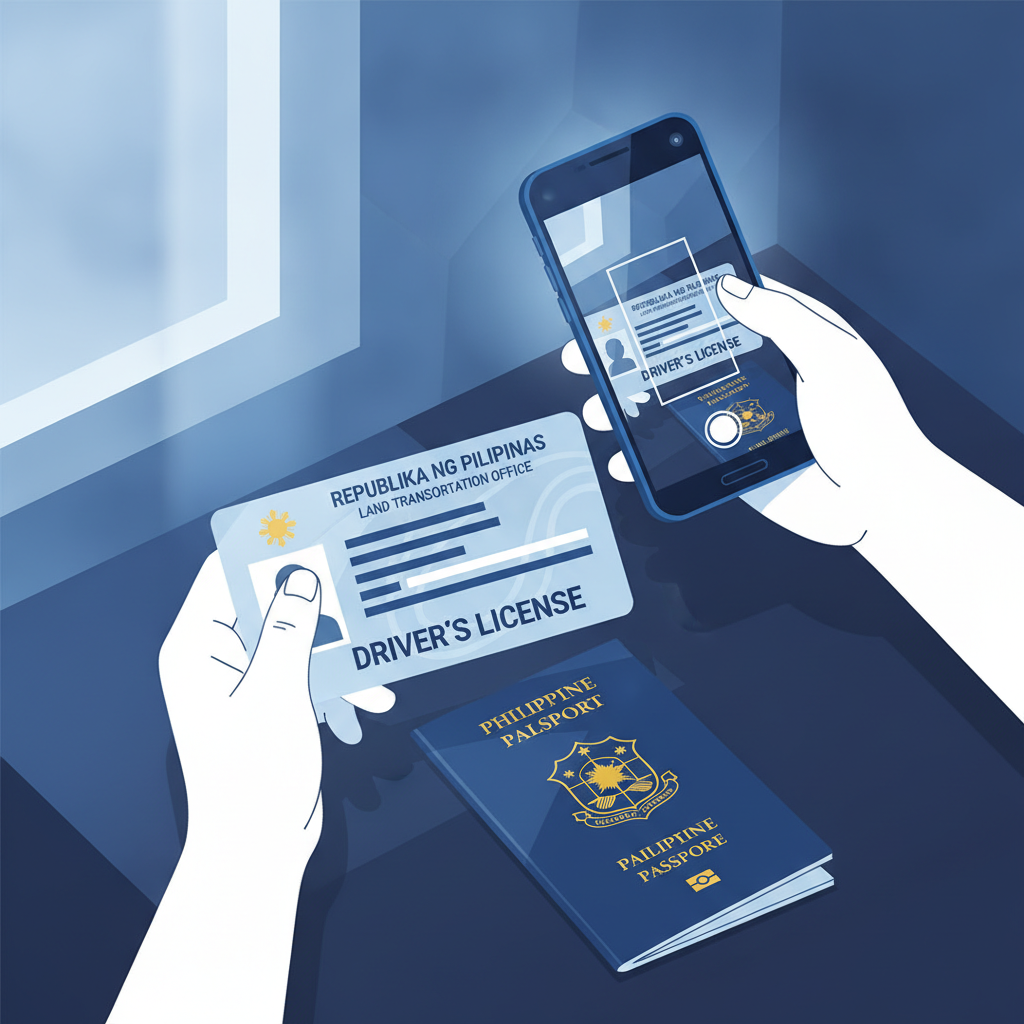
When you create a Rubyplay88 account, you'll need to verify your identity before you can withdraw winnings. This guide explains why the platform asks for ID verification, which Philippine documents are accepted, how to upload clear photos from your phone, and how long the process typically takes.
Why Rubyplay88 Asks for ID Verification
Rubyplay88 requires identity verification to meet standard online gambling compliance rules. The platform needs to confirm you are:
- At least 21 years old. Philippine online casinos restrict access to adults only.
- A real person using your own account. One person, one account prevents fraud and misuse.
- Eligible to withdraw funds. The name on your ID must match the name on your Rubyplay88 account and your GCash, Maya, or bank account for payouts.
Verification usually happens when you request your first withdrawal, though Rubyplay88 may ask for documents earlier if your account activity triggers a review. Submitting ID upfront—right after you register—can save time later when you want to cash out.
Accepted IDs in the Philippines
Rubyplay88 accepts government-issued IDs that show your full name, date of birth, photo, and ID number. Most Filipino players use one of these:
- Driver's License – issued by the Land Transportation Office (LTO). Both plastic card and paper versions work.
- Philippine Passport – the bio-data page with your photo and personal details.
- Unified Multi-Purpose ID (UMID) – issued by SSS. The most common national ID for employed Filipinos.
- Philippine Identification (PhilID) – the new national ID card from the Philippine Statistics Authority (PSA).
- Professional Regulation Commission (PRC) ID – for licensed professionals like teachers, nurses, and engineers.
- Postal ID – issued by PHLPost. Must be the current version with your photo.
- Voter's ID – issued by COMELEC.
- Senior Citizen ID or PWD ID – if you are 21 or older.
Rubyplay88 may also accept other government IDs like SSS, GSIS, or TIN ID, but these are sometimes rejected if they lack a photo or expiration date. Stick to a photo-bearing, government-issued card whenever possible.
What won't work:
Barangay IDs, company IDs, school IDs, and expired documents are not accepted. Your ID must be valid and not damaged or tampered with.
How to Upload Clear Photos of Your ID on Mobile
Most Filipino players use their Android phone to upload ID documents to Rubyplay88. Follow these steps for clear, readable photos that pass verification the first time.
Step 1: Find Good Lighting
Take your photo in a well-lit room or near a window during the day. Avoid dim lighting or yellow indoor bulbs that make text hard to read. Do not use your camera flash directly on the ID—it creates glare and washes out details.
Step 2: Place Your ID on a Dark, Plain Surface
Put your driver's license, passport, or UMID on a dark table, desk, or even a black shirt. The contrast helps the edges of your ID stand out. Do not hold the card in your hand—it can blur or tilt.
Step 3: Take the Photo Straight-On
Position your phone camera directly above or in front of the ID. Keep the phone level so the card looks square, not slanted. Make sure all four corners of the ID fit inside the frame. The text, photo, and ID number must be sharp and easy to read.
Step 4: Check the Photo Before Uploading
Zoom in on the image. Can you read your name, date of birth, and ID number clearly? Is your photo visible? If the image is blurry, too dark, or shows glare, delete it and try again.
Step 5: Upload Through Your Rubyplay88 Account
Log in to your Rubyplay88 account on mobile or desktop. Go to the Account Settings or Verification section. You'll see an option to upload a government-issued ID.
Tap Choose File or Upload, select the photo from your phone's gallery, and submit. Some players need to upload both the front and back of their ID—follow the on-screen instructions.
If you're using a passport, photograph the bio-data page (the page with your photo and personal information).
Common mistakes to avoid:
- Uploading a screenshot of your ID instead of the actual card photo.
- Covering part of the ID with your fingers.
- Sending a photocopy or scanned black-and-white image. Use the original color card.
- Cropping the image too tightly so edges are cut off.
How Long Verification Takes and What to Expect
After you upload your ID, Rubyplay88's verification team reviews the document. The process usually takes 1 to 3 business days, though it may finish faster if you submit during weekday office hours.
You'll receive an email or in-app notification once your ID is approved. If the platform needs a clearer photo or additional documents, they will contact you with instructions. Check your Rubyplay88 inbox and the email address you used to register.
What happens if your ID is rejected?
Rubyplay88 may ask you to re-upload if:
- The photo is too blurry or dark.
- The ID is expired.
- The name on your ID does not match the name on your Rubyplay88 account.
- Part of the card is cut off or covered.
If this happens, review the tips above and submit a new, clearer photo. Contact Rubyplay88 support through live chat or email if you're unsure why your document was declined.
Tips for a Smooth Verification Experience
- Verify early. Upload your ID right after you register and make your first deposit. You won't face delays when you're ready to withdraw.
- Match your account name exactly. The full name on your Rubyplay88 account must match the name on your government ID and your GCash, Maya, or bank account. Middle names, initials, and spelling matter.
- Keep your ID current. Rubyplay88 does not accept expired documents. If your driver's license or passport has expired, renew it before uploading.
- Use your own documents. Never submit someone else's ID or allow another person to use your account. Rubyplay88 will permanently ban accounts that fail identity checks.
21+ Requirement and Responsible Gambling
Rubyplay88 is for players aged 21 and over only. The platform's ID verification process enforces this age restriction. If your birth date on your government-issued ID shows you are under 21, your account will be closed and any deposits refunded.
Online gambling should be a form of entertainment, not a way to make money or solve financial problems. Set a budget before you play, and never deposit more than you can afford to lose. If you feel you're spending too much time or money on Rubyplay88, use the platform's responsible gambling tools to set deposit limits, session reminders, or self-exclusion.
For help with problem gambling in the Philippines, contact the National Center for Mental Health or reach out to local support groups.
Summary:
Rubyplay88 requires ID verification to confirm you are 21 or older and to protect your account. Philippine players can submit a driver's license, passport, UMID, PhilID, PRC ID, Postal ID, or other government-issued photo ID. Take a clear, well-lit photo on your mobile phone, upload it through your account settings, and wait 1–3 business days for approval. Verifying your identity early helps you avoid delays when you're ready to withdraw winnings through GCash, Maya, or bank transfer.